
ZenTao 8.3.stable has been released!
Original
-
 tengfei
 -
 2016-11-10 16:11:00
 -
 8559
8559
ZenTao: 15 years of dedication to building open source project management software
Download Now
ZenTao 8.3.stable has been released! This release is mainly about the adjustment of document view.
Download
source code package1:http://sourceforge.net/projects/zentao/files/8.3/ZenTaoPMS.8.3.stable.zip/download
2:http://dl.cnezsoft.com/zentao/8.3/ZenTaoPMS.8.3.stable.zip
One-click package for integrated runtime (It is ONLY for first time installation. Do Not download it for upgrading ZenTao)
Windows one-click installation
1:http://sourceforge.net/projects/zentao/files/8.3/ZenTaoPMS.8.3.stable.exe/download
2:http://dl.cnezsoft.com/zentao/8.3/ZenTaoPMS.8.3.stable.exe
Linux 64 bit one-click installation
1:http://sourceforge.net/projects/zentao/files/8.3/ZenTaoPMS.8.3.stable.zbox_64.tar.gz/download
2:http://dl.cnezsoft.com/zentao/8.3/ZenTaoPMS.8.3.stable.zbox_64.tar.gz
Linux 32 bit one-click installation
1:http://sourceforge.net/projects/zentao/files/8.3/ZenTaoPMS.8.3.stable.zbox_32.tar.gz/download
2:http://dl.cnezsoft.com/zentao/8.3/ZenTaoPMS.8.3.stable.zbox_32.tar.gz
Note:Linux one-click installation package has to be unzipped to /opt. There is something wrong with Fedora.
DEB:use dpkg manager to install in Ubuntu/Debian
1:http://sourceforge.net/projects/zentao/files/8.3/ZenTaoPMS_8.3.stable_1_all.deb/download
2:http://dl.cnezsoft.com/zentao/8.3/ZenTaoPMS_8.3.stable_1_all.deb
RPM:use rpm manager to install in Centos
1:http://sourceforge.net/projects/zentao/files/8.3/zentaopms-8.3.stable-1.noarch.rpm/download
2:http://dl.cnezsoft.com/zentao/8.3/zentaopms-8.3.stable-1.noarch.rpm
Install and upgrade
installation reference://www.zentao.net/book/zentaopmshelp/40.htmlupgrade reference://www.zentao.net/book/zentaopmshelp/41.html
New Feature Screenshot
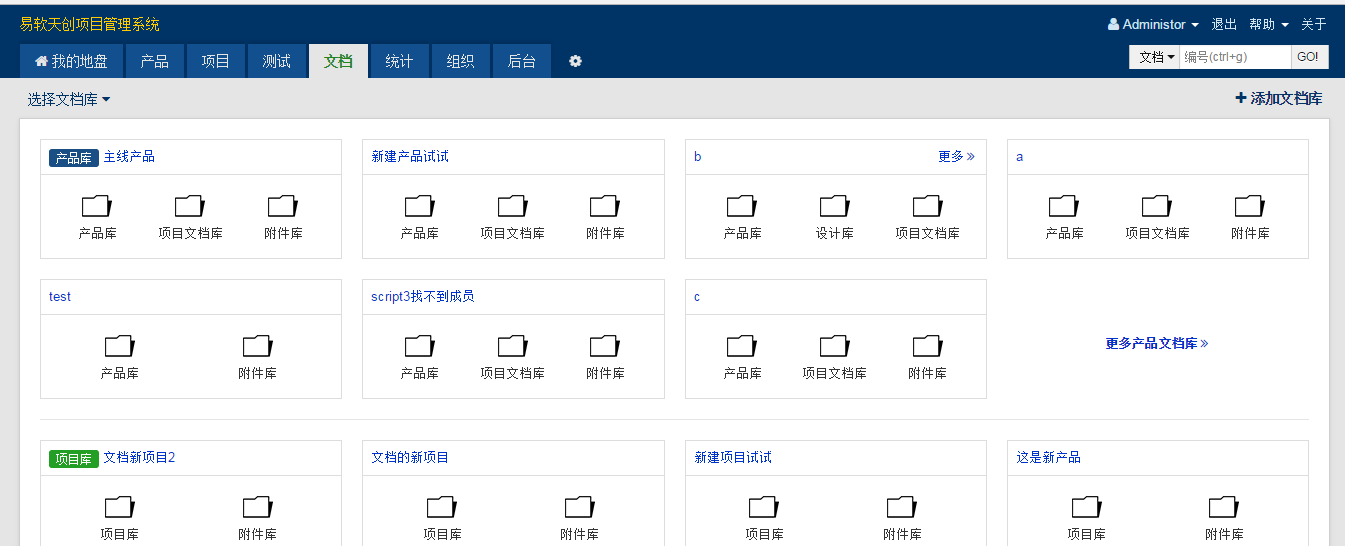
1. Document Homepage
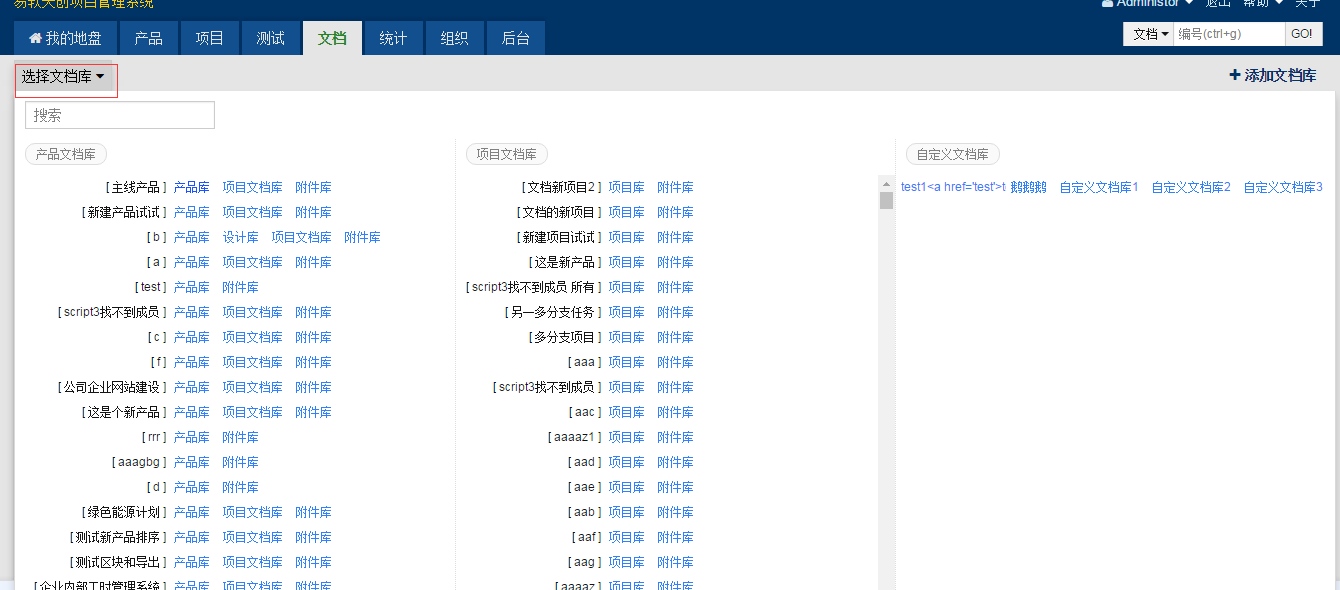
2. Drop-down menu of DocLib
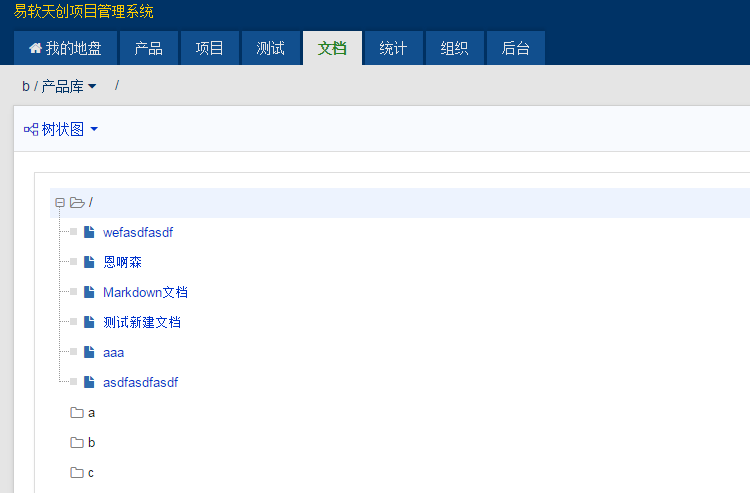
3. Tree Diagram
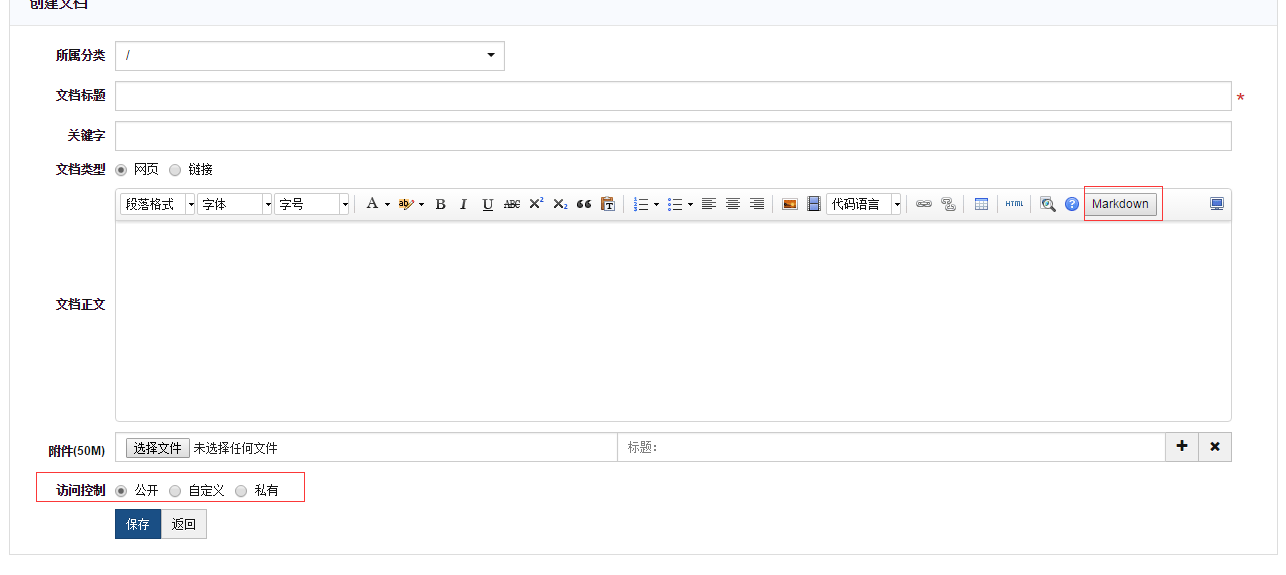
4. MarkDown, Ueditor
Write a Comment
Support
- Book a Demo
- Tech Forum
- GitHub
- SourceForge
About Us
- Company
- Privacy Policy
- Term of Use
- Blogs
- Partners
Contact Us
- Leave a Message
- Email Us: [email protected]



